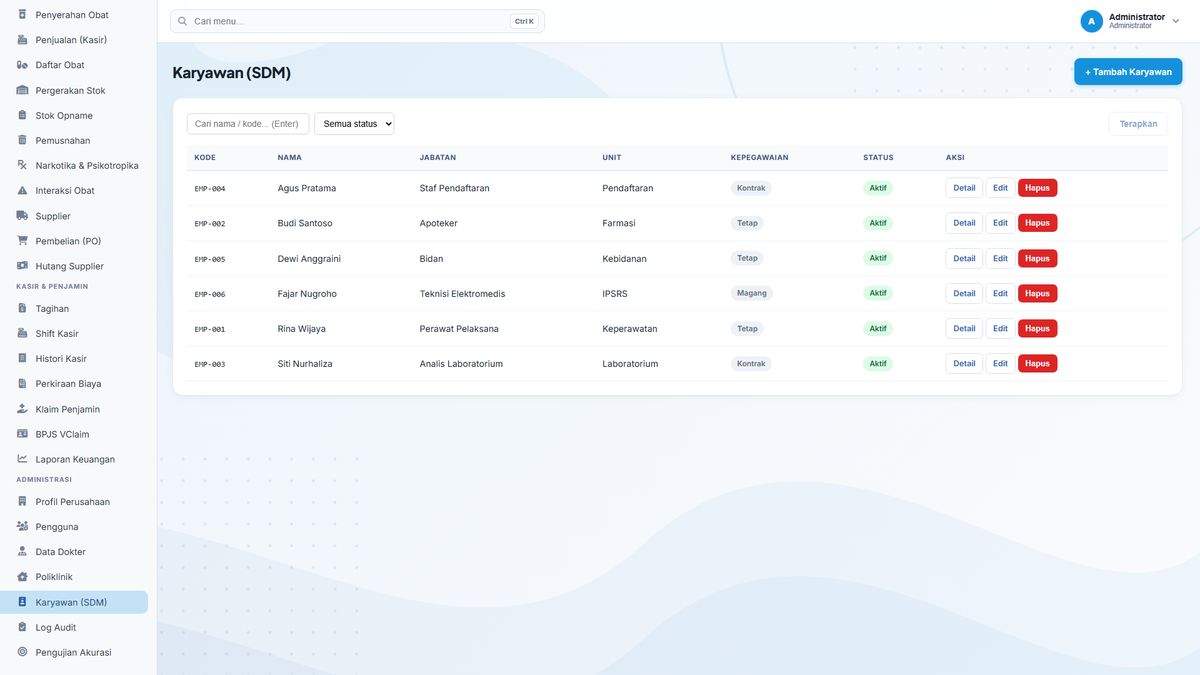
SIMRS Users, Roles & HR Module: Access Control and Team Structure
The Users, Roles & HR module manages two things often ignored until they become problems: who is allowed to access what, and who works when. The module manages user accounts, roles, employee data, and weekly work schedules in one place, so team structure and access rights stay under control as the facility grows.
RBAC for five main roles
System access is controlled with RBAC (Role-Based Access Control) for the main roles: admin, doctor, nurse, registration, and pharmacist. Each role sees menus and data according to its responsibilities. Doctors do not need the cashier menu, cashiers do not need clinical notes. This role-based access limitation is the foundation of patient data security across all modules.
User account and doctor profile management
User accounts are managed centrally: accounts are created according to role, and doctor profiles store clinical information used by other modules. When a new team member joins, an account can be prepared with the right role from the start; when responsibilities change, roles can be adjusted. Clean account management also makes activity tracing easier because every action is recorded under a user’s name.
Employee data and weekly work schedules
Employee data (including doctors, nurses, and staff) is recorded together with weekly work schedules. Structured scheduling helps the facility see who is on duty when and in which unit, avoiding service-hour gaps and making workload easier to monitor.
The security that comes with it
This access control is reinforced by activity recording: every important action is recorded in the global audit log with its actor and module. The combination of RBAC and audit logs makes user access accountable. The facility knows who did what, and can trace back if an incident occurs.
Who uses this module
System admins manage accounts and roles; management or HR manage employee data and schedules; and every user is affected by the access rights set here. Current role management is the foundation for a more complete role management interface in the next phase.
One data set, one flow
The user and employee data managed here becomes the reference across the whole system. Accounts created here determine the menus and data visible in other modules through RBAC; doctor profiles are used when doctors document in the medical record; and work schedules are the basis for coordination across units. Because user identity is consistent in every module, activity trails (for example in audit logs) can always be linked to a clear person.
Getting started with this module
The module can start from the facility’s core needs first, then grow in phases. In line with HealthCore’s implementation principles. In the early phase, the facility team maps the role structure (admin, doctor, nurse, registration, pharmacist), creates accounts by role, then trains system admins on that flow. Role-based training, go-live support, and data migration are quoted separately from subscription pricing, so the facility starts from the highest-impact flow without changing every process at once.